Oven oops
Date: September-December 2023
Course: Object - Atlas 3300
Context: Identify a personal “pet peeve,” analyze the real-world conditions around it, and develop a physical solution supported by microcontroller technology.
Goal: Create a device that helps prevent people from accidentally leaving the oven on by: tracking cook time, displaying clear messages, providing visual signals, making an intuitive and easy to interact with alert system, ensuring safety while remaining low-profile and user-friendly
Tools Used: SketchUp, Epilog Laser Cutter, patience, perseverance, and industrial levels of stubbornness
Timeline: Full-semester project (16 weeks)
Weeks 1–5 (iteration 1): Electronics fundamentals, Arduino basics, circuitry practice
Weeks 6–16 (iteration 2): Designing, prototyping, programming, and assembling Oven Oops
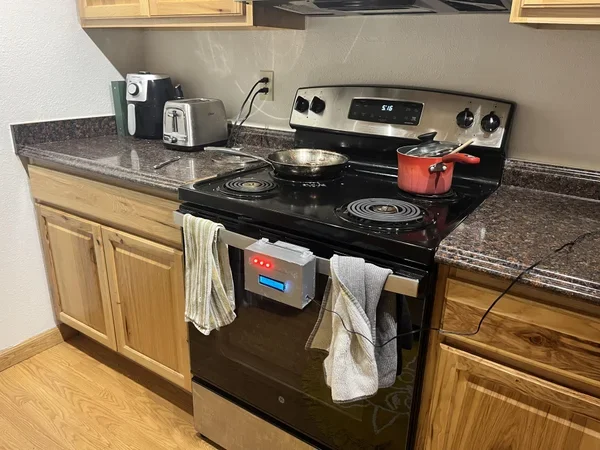
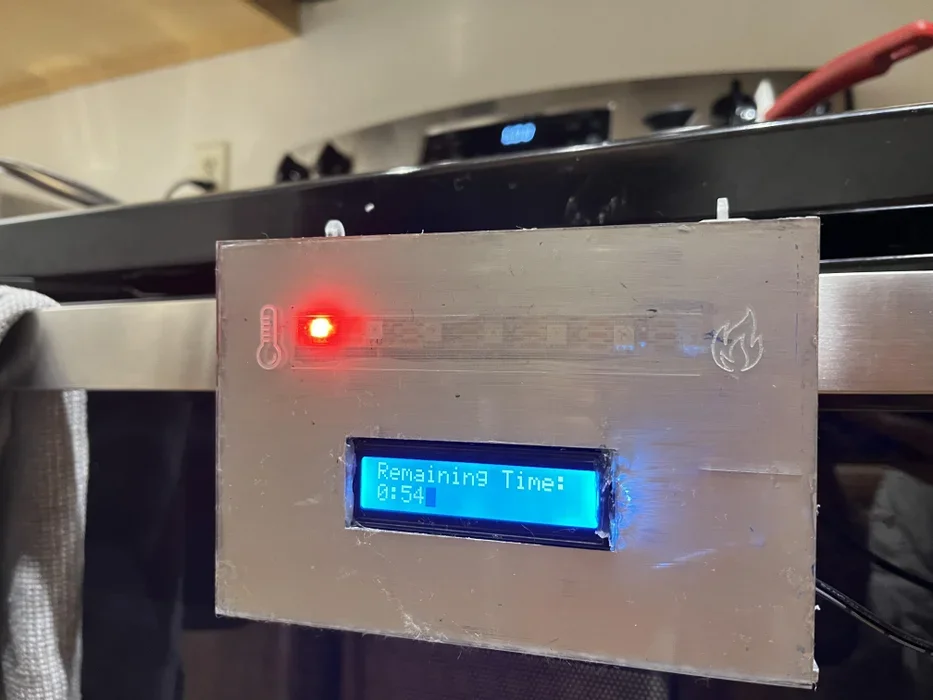
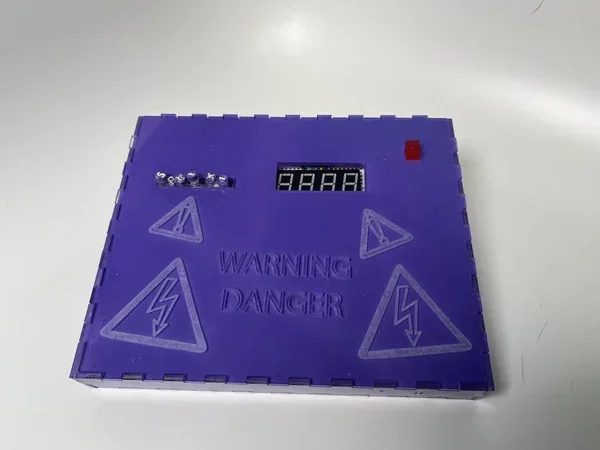
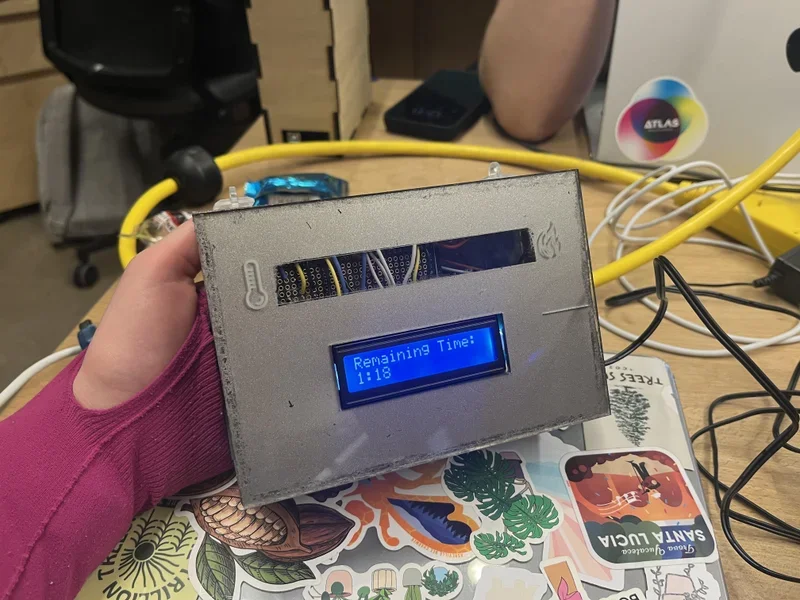
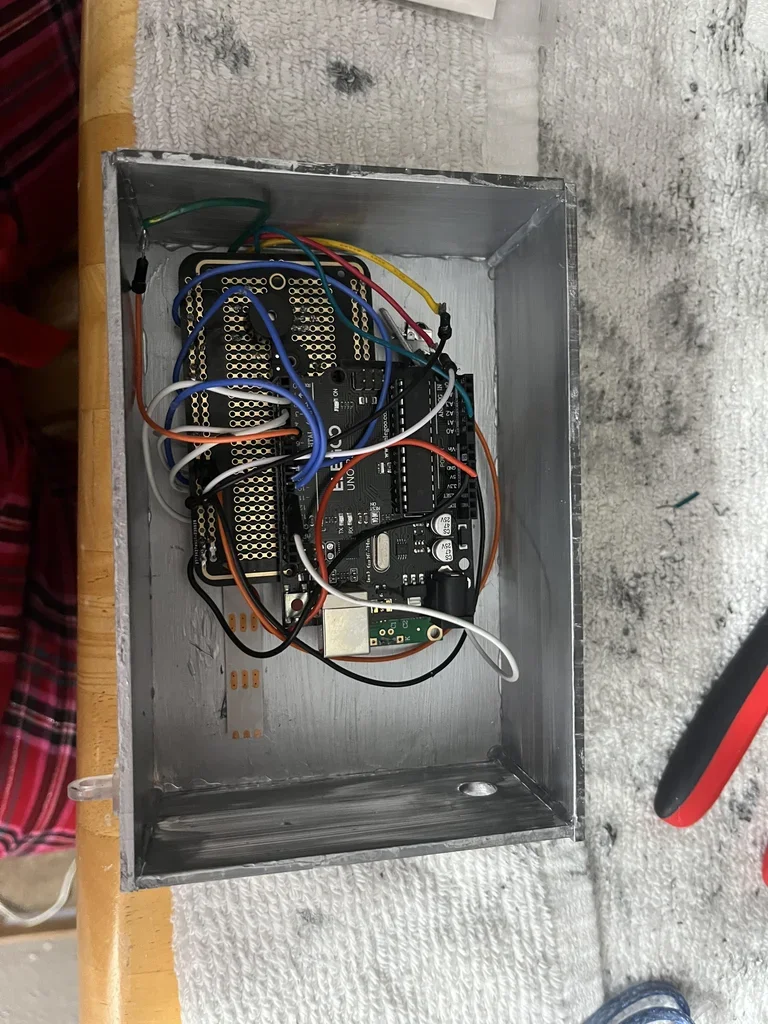
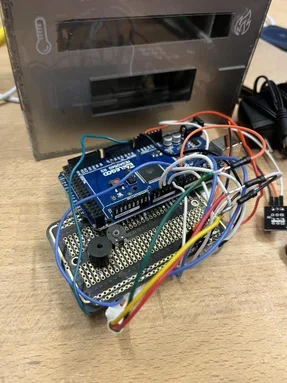
Overview
Oven Oops is an Arduino-based alert system designed to solve a very real household problem: my roommate repeatedly left the oven on after cooking. Over a 16-week semester, I engineered a fully functional device that uses timers, LED indicators, a remote-controlled interface, and a screen-based messaging system to notify users when the oven has been left on too long.
The project combines skills in microcontroller programming, interface design, rapid prototyping, iterative electrical engineering, physical fabrication, and everyday problem solving.
The result is a quirky, functional, and technically ambitious device that evolved dramatically from its first prototype — moving from simple buttons and a countdown timer to a remote-controlled user interface with a Neopixel temperature gauge.
Process
1. Identifying the Pet Peeve
The project began with a simple but serious problem:
My roommate frequently left the oven on without realizing it.
I wanted a device that was:
Easy to understand
Impossible to ignore
Helpful without being annoying
Clearly visible from across the kitchen
This guided every design decision moving forward.
2. Early Prototyping & Circuit Fundamentals
Before beginning the device, we spent five weeks building foundational skills in:
LED behavior
Circuit wiring
Button input logic
Debugging loops and conditionals
Microcontroller communication
During this phase, I experimented with small breadboard setups that tested timing logic and alert patterns. These early explorations gave me the confidence for the first functional prototype.
Iteration 1 – basic timer and buttons
(Low- to mid-fidelity: functionality first, looks second)
Features
Two physical push buttons (set time + start)
Basic countdown timer
LED or buzzer alert
Simple printed circuitry on a breadboard
Goals of Iteration 1
Get timing logic working
Establish a minimal viable version
Understand how to communicate alerts effectively
Test user flow (button press → timer running → alert)
Challenges
Debouncing buttons
Timing accuracy
Understanding interrupt flow
Making sure alerts were noticeable but not obnoxious
Result
A functional, ugly-but-effective prototype that proved the concept:
Users could start a cook timer and receive an alert when the time was up.
This foundation paved the way for a more ambitious second iteration.
Iteration 2 — Final System
This was the big leap — combining everything I learned from electronics fundamentals and the first prototype into a polished, multi-component device.
New Features
Remote-controlled interface (IR remote)
OLED/LCD screen with written alerts (e.g. “Oven is ON,” “Time’s Up!”)
Animated Neopixel temperature/status gauge
Cleaner timer logic
More intuitive interactions
Stronger reliability and user-friendly messaging
Why These Changes?
Moving to a remote allowed:
No physical interaction with the device
Cleaner UI
Greater flexibility in setting or resetting the timer
The screen allowed:
Clear communication (“Oven Still On!”)
Timer display
Status changes based on user input
The Neopixel gauge added:
Ambient, across-the-room visibility
“Heat” color progression (blue → green → yellow → red)
A fun, expressive design element
What I Improved from the First Prototype
Removed all wired external buttons
Reorganized the code to be modular
Added user-friendly messages
Created color-coded signals
Solved timing inconsistencies
Upgraded wire organization + stability
Final Performance
The device successfully tracked oven use
Alerts displayed clearly on the screen
Colors changed based on time
Remote input worked flawlessly
All components synchronized in real-time
The system addressed the original pet peeve effectively
This iteration represents the most complex Arduino project I’ve built — integrating multiple libraries, input systems, and universal feedback channels into one cohesive device.
Outcome
A fully functioning Arduino device that:
Helps prevent accidental oven misuse
Is user-friendly and visible
Represents significant technical growth
Moves seamlessly between multiple input and output systems
Solves the original pet peeve in a fun and effective way
The device is not only functional — it’s genuinely helpful.
Reflection
The project was both challenging and incredibly rewarding. While the final device may not be as visually refined as I hoped (due to so much time going into electrical optimization), the underlying engineering represents a major technical milestone for me.
It taught me to:
Iterate thoughtfully
Accept imperfections
Learn from each step
Build with real-life constraints in mind
And perhaps most importantly:
I now know how to build functional microcontroller systems from scratch.
What I learned
This project reaffirmed something important:
I love designing solutions to everyday annoyances.
Oven Oops made me realize how much I enjoy blending creativity with electronics — and how satisfying it is to see something functional emerge from wires, code, and problem-solving.
It strengthened my confidence in electrical design and opened the door for future Arduino-based projects.